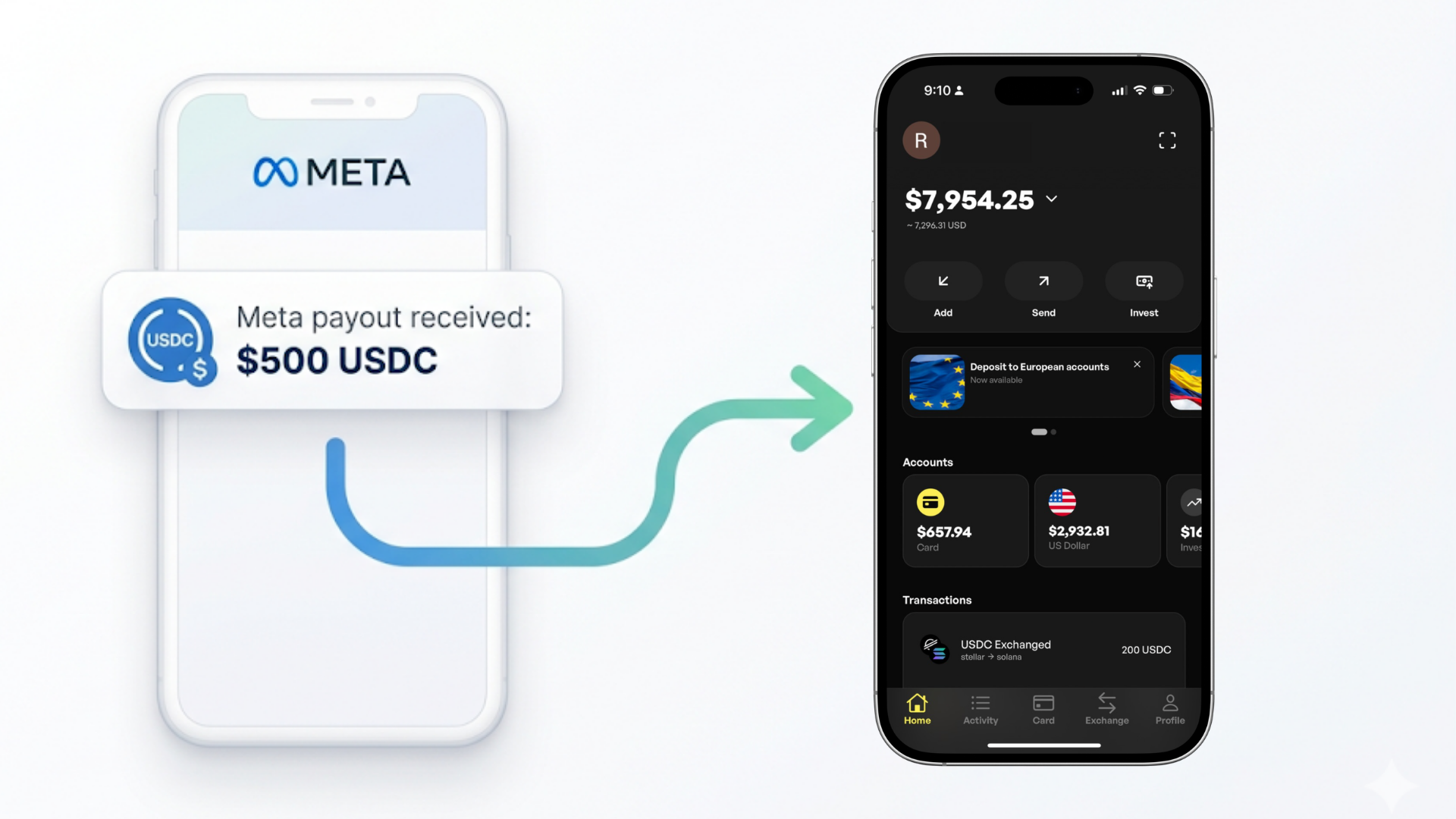
Meta has quietly started paying creators in USDC stablecoins.
At first glance, this looks like a huge step forward. Faster payments. Global access. No banks required. But there’s one big problem:
You can receive the money… but you can’t actually use it.
Meta sends USDC to your crypto wallet - and then leaves the rest up to you.
No built-in way to convert to your local currency.No easy way to spend it.No clear path from “crypto” → “real money.”
That’s where most creators get stuck.
This guide shows you exactly how to:
- Receive your Meta USDC payouts
- Connect the right wallet
- Convert your funds into cash or spend them globally - fast
What Meta Actually Provides (and What It Doesn’t)
Meta’s new payout system allows selected creators (currently in Colombia and the Philippines) to receive earnings in USDC on blockchain networks like Solana and Polygon.
To get paid, you:
- Enter a crypto wallet address
- Receive USDC directly from Meta
That’s it.
Meta does not:
- Convert USDC to your local currency
- Send money to your bank
- Offer cash pickup
- Help you spend your funds (without getting hit with huge exchange fees)
So while the payout is instant, the usability isn’t.
The Problem Creators Are Facing
Once you receive USDC, your options are limited - and often painful:
- Crypto exchanges → slow, complex, and fee-heavy
- Banks → not directly compatible
- PayPal / Stripe → not supported for crypto payouts
- Most wallets → can hold funds, but not convert or spend them
This creates a frustrating gap: You’ve been paid - but your money is stuck.
The Solution: Use a Wallet Built for Real-World Money
To actually use your Meta payouts, you need more than a wallet. You need a global money system. That’s where Decaf comes in.
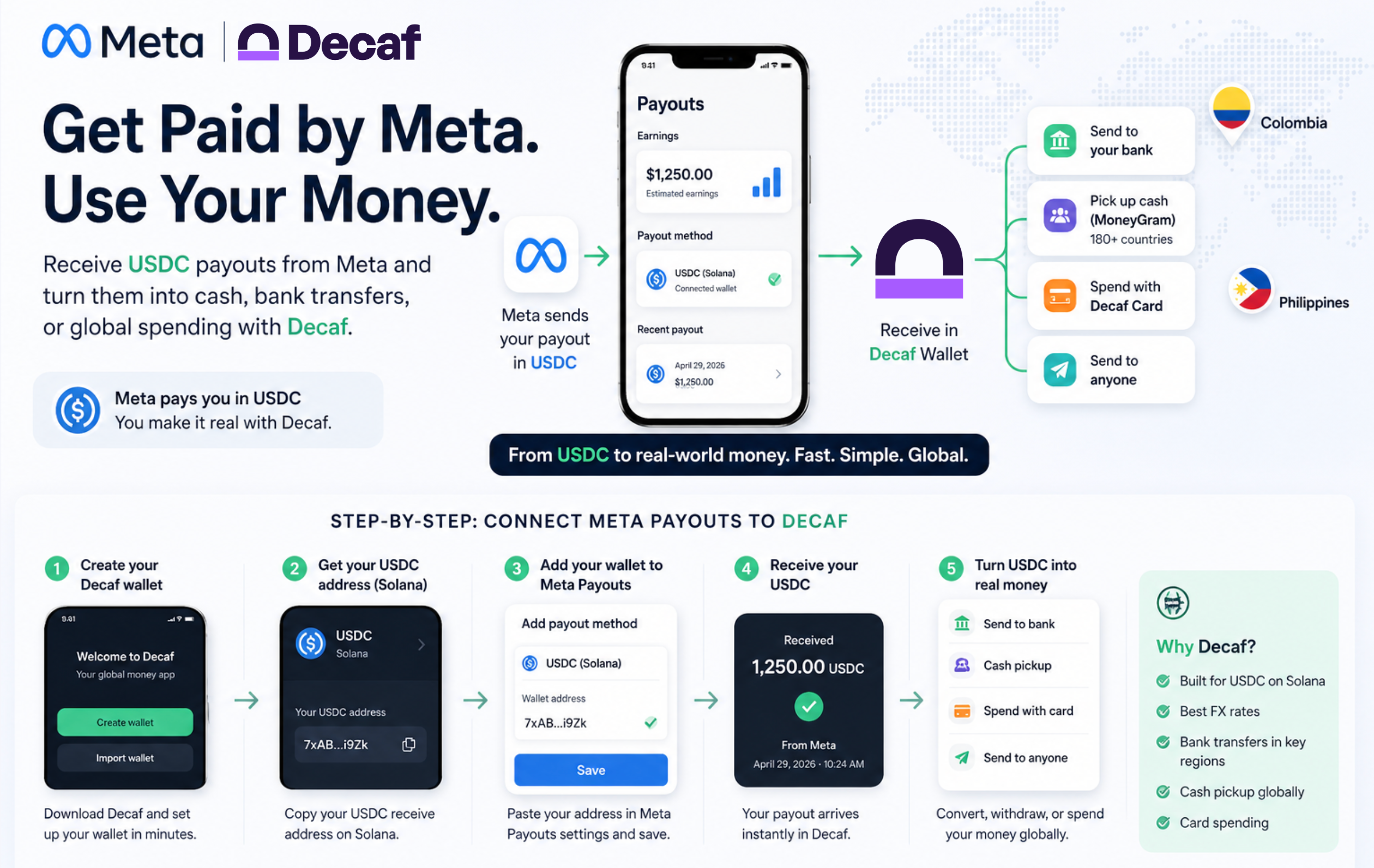
Decaf is a non-custodial wallet designed to take you from:
USDC → local currency → usable money - without friction.
With Decaf, you can:
- Receive USDC on Solana instantly
- Convert to local currency with competitive FX rates
- Send to your bank account
- Pick up cash globally
- Spend directly with a card
Step-by-Step: How to Connect Meta Payouts to Decaf
Step 1: Create your Decaf wallet
Go to Decaf and set up your wallet in minutes.
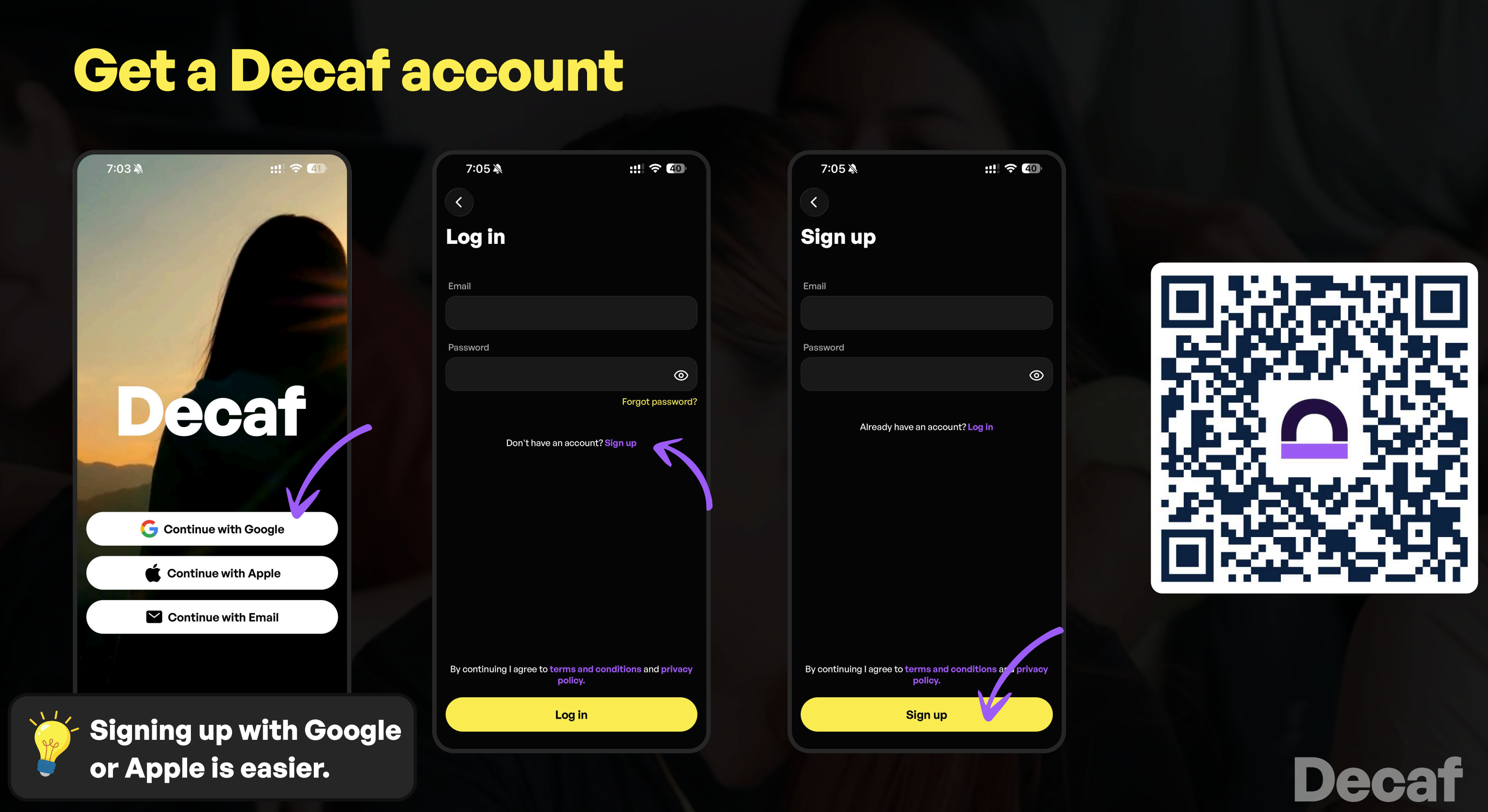
No complicated setup. No technical knowledge required.
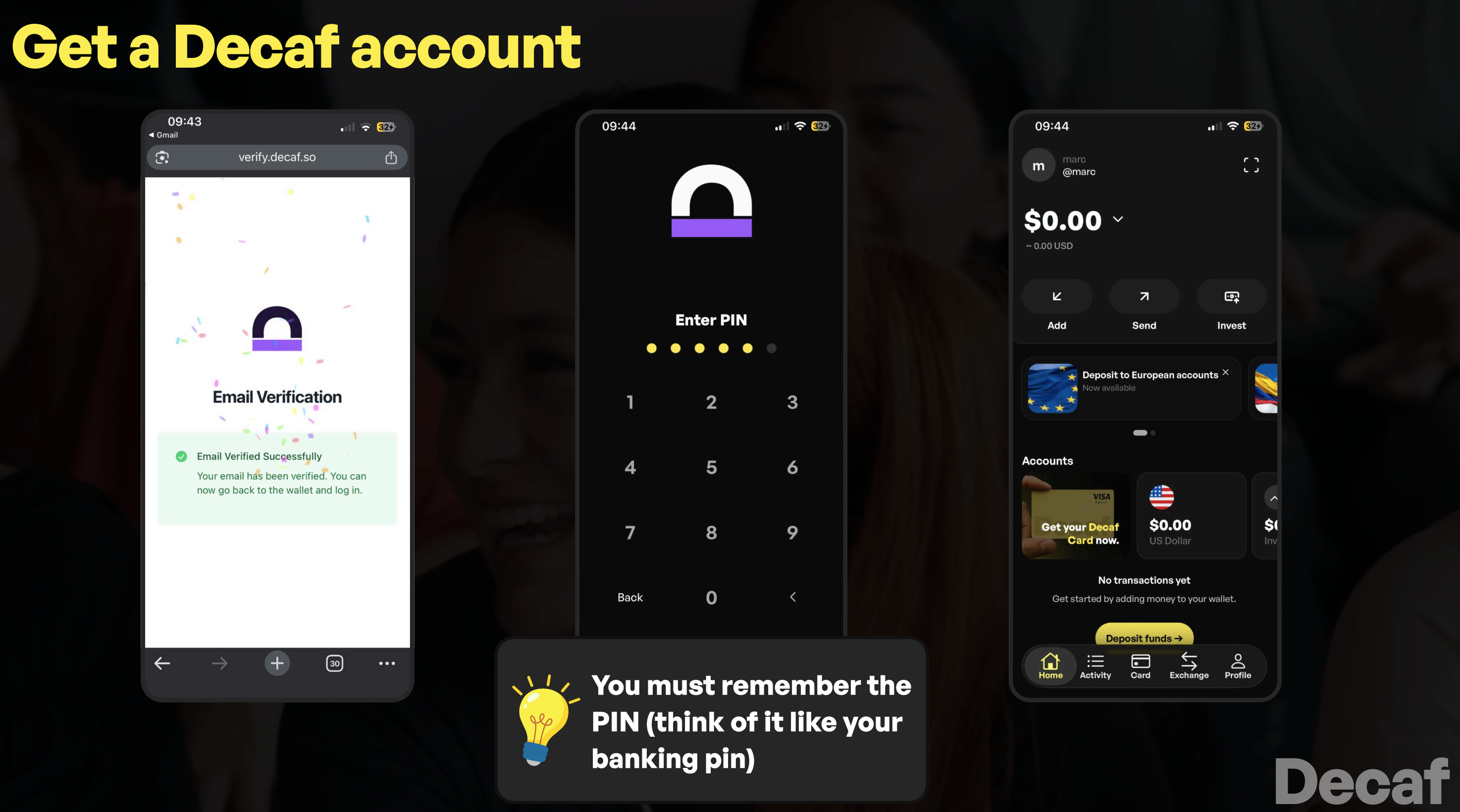
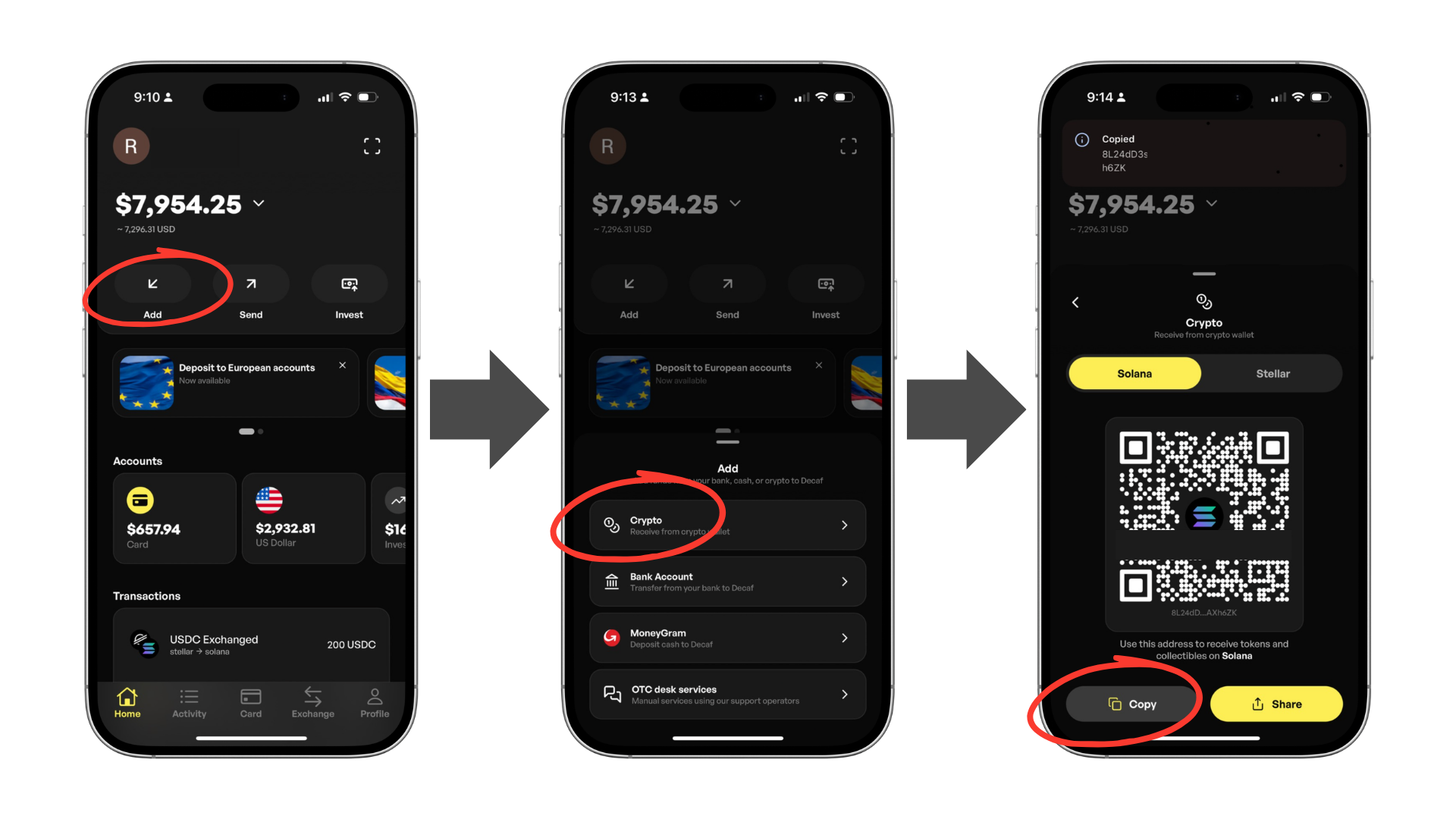
Step 2: Get your USDC wallet address (Solana)
Inside Decaf:
- Find your USDC receive address
- Make sure it’s on the Solana network
This is critical - Meta payouts currently support Solana.
Step 3: Add your wallet to Meta Payouts
In your Meta account:
- Go to your Professional Dashboard
- Navigate to Payouts
- Click Settings
- Enter your USDC wallet address
Double-check:
- Address is correct
- Network matches (Solana)
Once saved, your next payout will be sent to your wallet.
👉 Note: Stablecoin payouts are currently limited to selected creators in pilot regions and require a fully verified payout account and tax information
Step 4: Receive your USDC
When Meta sends your payout:
- It arrives directly in your Decaf wallet
- No intermediaries
- No delays
Step 5: Turn USDC into real money
This is where Decaf becomes powerful.
You can immediately:
💳 Send to your bank
Convert USDC → local currency and transfer to your bank account. Currently in Colombia (best FX rates in the market), Mexico, Brazil (with PIX), Bolivia, Argentina, Chile, Dominican Republic, Europe, US, and more.
💵 Pick up cash
Use global cash with MoneyGram in 180+ countries.
🌍 Spend globally
Use your balance with a card - no extra FX headaches.
Why Decaf Is the Best Wallet for Meta Payouts
Meta tells you to “use a crypto wallet.” But not all wallets are built the same.
Most wallets:
- Store your funds
- Trade memecoins
- Do nothing else
Decaf is different.
It’s designed for real-world use, not just holding crypto.
Key advantages:
- Built for USDC on Solana
- Fast conversion to local currencies
- Bank transfers in key regions (Mexico, Colombia, Argentina, Brazil, Bolivia, Dominican Republic, Chile)
- Cash pickup globally
- Card spending
- Competitive FX rates (eg. the best rate in Colombia)
Instead of juggling multiple platforms, you get everything in one place.
Country Examples
🇨🇴 Colombia
With Decaf, creators in Colombia can:
- Receive USDC instantly
- Convert to COP (best rate in the market)
- Send directly to local bank accounts
- Use Visa Platinum card with 0 fees on USDC spending
- Or pick up cash nearby
No need for exchanges or complex setups. Instant cash out and spending.
🇵🇭 Philippines
Creators in the Philippines can:
- Receive USDC payouts
- Convert to PHP at MoneyGram
- Or spend locally with your Decaf VISA card
All without relying on traditional remittance services.
Why This Matters (Big Picture)
Meta moving to stablecoins is a major shift.
It signals a future where:
- Payments are instant
- Global by default
- Not controlled by banks
But for this system to work, users need a way to actually use the money. That’s the missing piece. Although, right now it is just for Colombia and Philippines, hit seems that these Meta payouts will soon be expanded and offered to 160 countries.
Get Started
If you’re receiving (or expect to receive) Meta payouts in USDC. Don’t wait until your funds are stuck. Set up your wallet now and be ready.
Get Decaf → Receive → Convert → Spend
Money should move like a message - and be just as easy to use.